Tutorials
The Tutorials section is now a dedicated learning area for hands-on simulation workflows. Each tutorial card opens a prepared project with a sample CAD model and guides you through setup, execution, result review, and report interpretation.
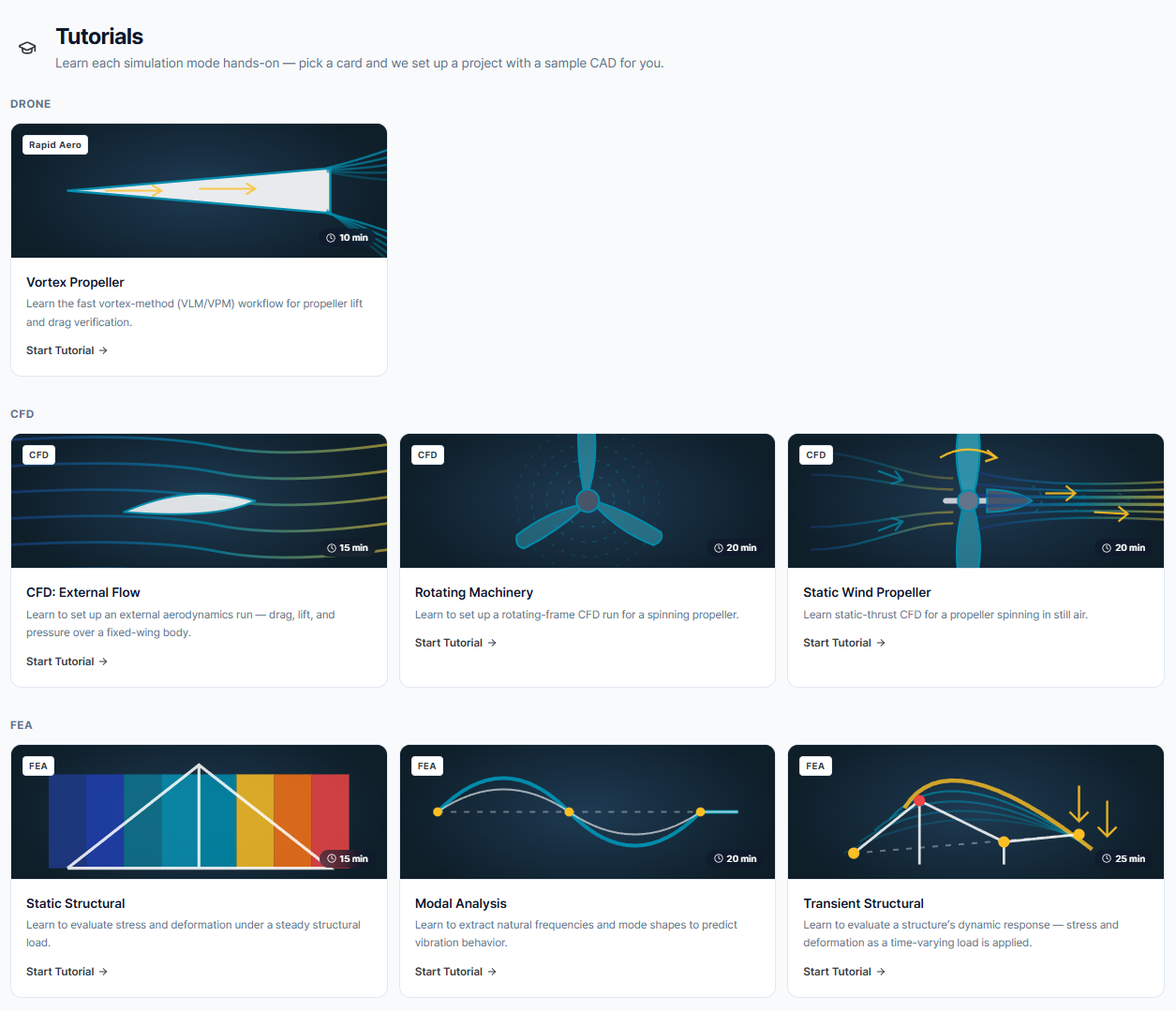
The current tutorial library is organized into three domains:
- Drone: fast Vortex Method workflow for propeller lift and drag verification.
- CFD: external flow, rotating machinery, and static wind propeller workflows.
- FEA: static structural, modal, and transient structural workflows.
Drone
Vortex Propeller
Learn the fast vortex-method workflow for propeller lift, drag, blade loading, and wake review.
- Domain: Drone / Vortex Method
- Estimated time: 10 minutes
- Sample model: aircraft body with a parametric propeller
- You will learn: create a propeller, position it on the aircraft, set RPM and inflow, inspect wake and blade loading, and read the performance report.
CFD
CFD: External Flow
Set up an external aerodynamics run for a fixed-wing body and evaluate drag, lift, pressure, velocity, turbulence, streamlines, and force reports.
- Domain: CFD
- Estimated time: 15 minutes
- Sample model: fixed-wing aircraft
- You will learn: create a box flow domain, define freestream conditions, run the solver, monitor residuals, inspect result fields, create cut planes, save sections, enable streamlines, and interpret aerodynamic coefficients.
Rotating Machinery
Set up a rotating-frame CFD run for a spinning propeller.
- Domain: CFD
- Estimated time: 20 minutes
- You will learn: create a rotating zone, define fluid and rotation properties, run the solver, monitor convergence, inspect flow fields and streamlines, and read the propeller report.
Static Wind Propeller
Learn static-thrust CFD for a propeller spinning in still air.
- Domain: CFD
- Estimated time: 20 minutes
- You will learn: configure still-air rotating-flow conditions, run the CFD solver, inspect cut and isolate views, review turbulence fields, and interpret propeller performance metrics.
FEA
Static Structural
Evaluate stress and deformation under a steady structural load.
- Domain: FEA
- Estimated time: 15 minutes
- You will learn: assign material, constraints, and loads, generate the mesh, run the structural solve, inspect displacement and stress, and read the summary report.
Modal Analysis
Extract natural frequencies and mode shapes to predict vibration behavior.
- Domain: FEA
- Estimated time: 20 minutes
- You will learn: assign material and support conditions, solve for natural frequencies, inspect mode shapes and color maps, and compare modal report results.
Transient Structural
Evaluate a structure's dynamic response as a time-varying load is applied.
- Domain: FEA
- Estimated time: 25 minutes
- You will learn: configure material and transient parameters, apply time-varying loading, monitor the run, inspect response histories, and interpret the structural report.
How Tutorial Guidance Works
Each tutorial combines the workbench workflow with an in-panel tutorial assistant:
- Checklist: shows the tasks required before the next step unlocks.
- Highlighted fields: points to the exact controls that need user input.
- Progress tracking: shows how many tutorial steps are complete.
- Stage awareness: explains whether you are in Geometry, Model, Physics, Solve, Results, or Report.
- Result guidance: suggests what field, tool, report, or view to inspect next.
If you are following the tutorial inside EverySim, use the tutorial panel's Next button after completing each checklist item.