Sign Up
Create an EverySim account from the current Sign Up page.
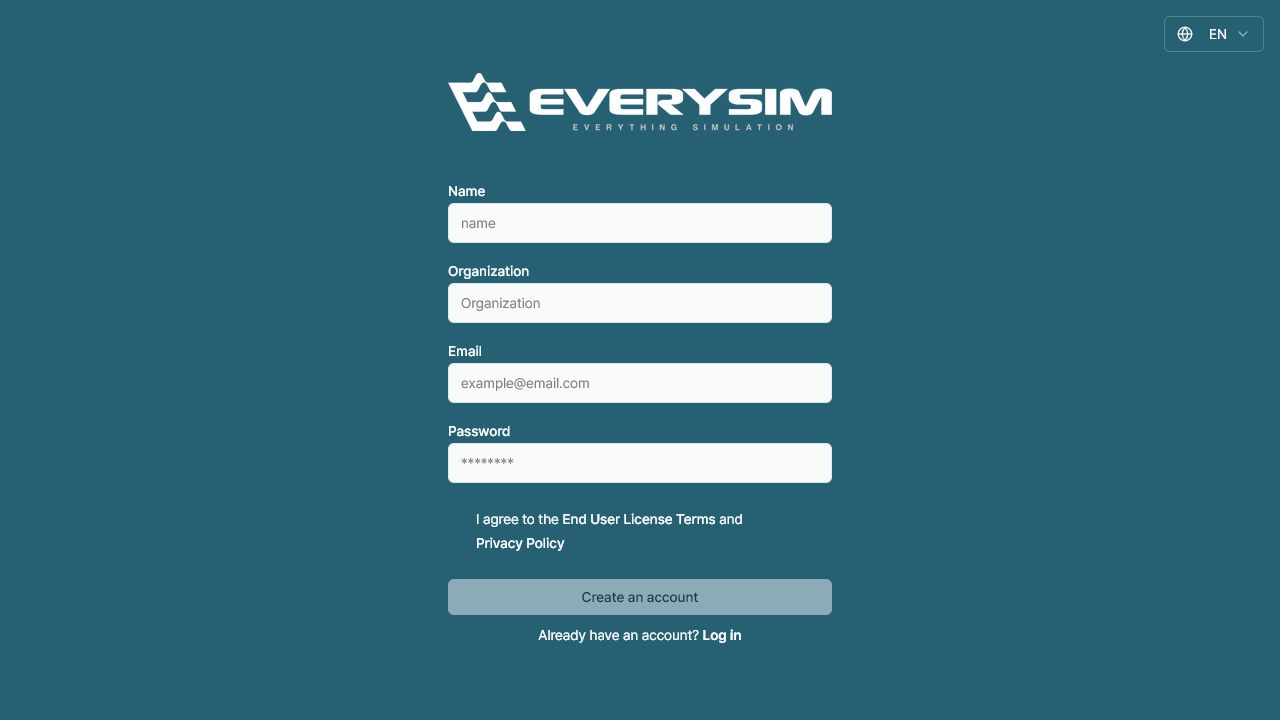
1. Complete the form
Enter the information requested on the page:
- Name: your display or contact name.
- Organization: the company, university, team, or group you belong to.
- Email: an address you can access for account notices and verification.
- Password: the password you will use to sign in.
Review the entries before continuing, especially the email address.
2. Review and accept the terms
Read the End User License Terms and Privacy Policy, then select the agreement checkbox. The Create an account button remains unavailable until the required fields and agreement are complete.
3. Create and verify the account
Click Create an account. If EverySim sends a verification message, open it from the registered email address and follow the included instructions. Check the spam or junk folder if the message does not appear in your inbox.
4. Sign in
Return to the sign-in page and use the registered email address and password. If you already have an account, select Log in at the bottom of the Sign Up page.
5. Next steps
After signing in, you can create projects and begin using the EverySim design and simulation workflows.
Need Assistance or Have Questions?
Frequently Asked Questions: FAQ Link
Support Inquiries: support@everysim.io