v1.0.0Beta 8
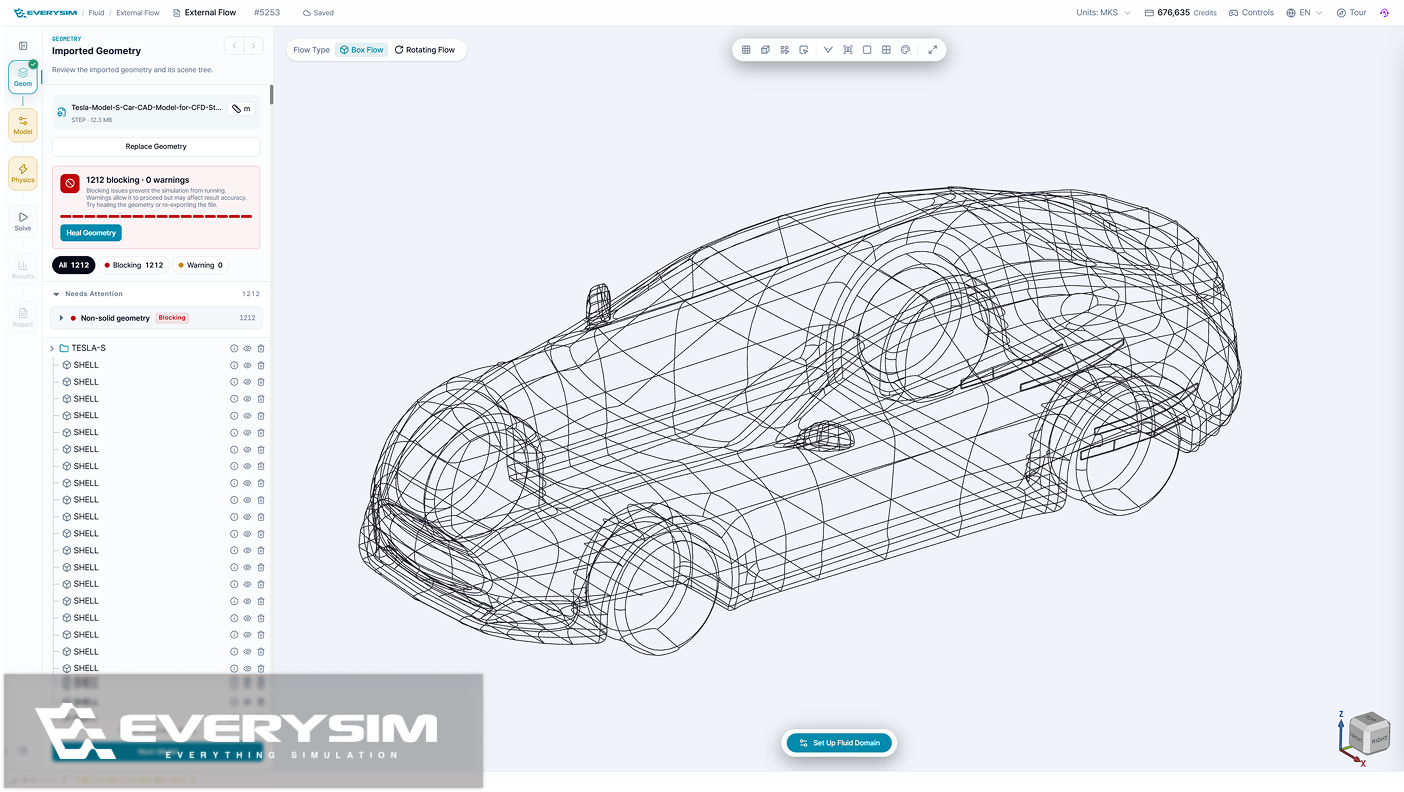
EverySim now checks your CAD file the moment you upload it, so you find out which parts have problems before you set anything up. Heal Geometry then fixes them for you — no trip back to your CAD tool — and tells you how many it fixed.
Added
- Heal Geometry, which fixes a CAD file that came in broken, so you can keep working instead of going back to your CAD tool.
- A probe tool in structural analysis, for reading result values by hovering over the model.
- Play and replay static structural and modal results, to watch the model deform or a mode shape move.
- Project groups in the project view, to keep related work together.
- Colors by material, so you can see at a glance which material each part was given.
- Speed as an input in the flight-time calculator, with each result now showing how it was worked out.
- A view-only dashboard on phones, for looking through projects whose results are ready.
Improved
- A redesigned results panel with presets, tools, and fields together for faster, more effective result viewing.
- An easier-to-read geometry check — problems are listed by part, serious ones are kept apart from minor ones, and clicking one takes you straight to it on the model.
- Multi-part CAD files come in as separate parts, and each one meshes.
- Changing the unit system updates every value on screen — setup, results and reports.
- What each run cost, in the Jobs list — the credits it used, the project it belongs to, and how many runs match the filter you are looking at.
- A workbench optimized for tablets, so you can set up and run a simulation on a touch screen.
Fixed
- Overall UI/UX fixes across the dashboard, settings and reports — filters, counts, labels, dates and wording now read correctly.
- Setup holds on to your work and catches more mistakes: switching language keeps your workspace and the values you entered, a body left outside the fluid domain is caught before the run starts, and signing up follows the password rules it shows.
- Result views stay readable — the color bar title stays on screen, and the residuals chart keeps clear of the setup panel and the Run button.
- Vortex's Combined speed now includes the propeller tip speed.