v1.0.0Beta 5
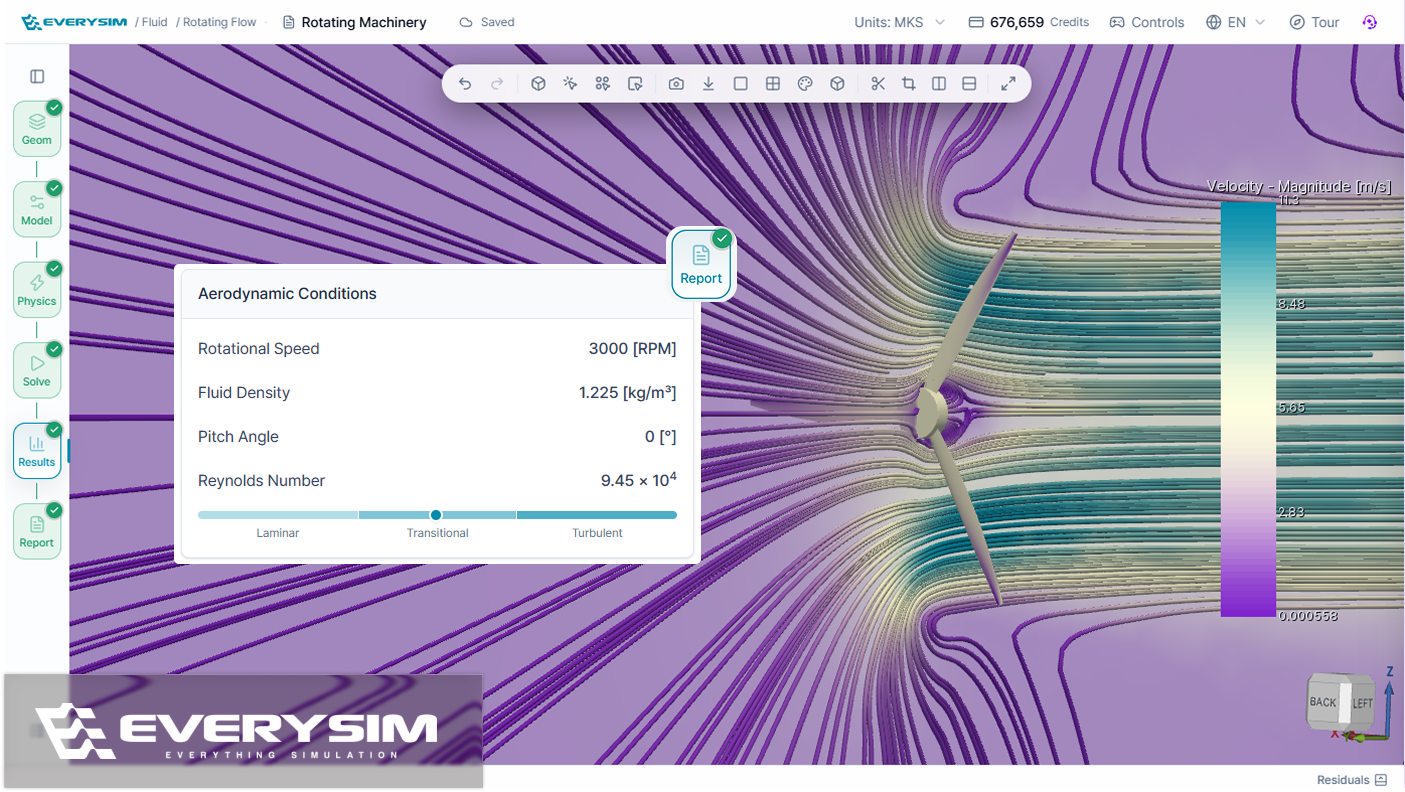
Reference dimensions can now be set explicitly in Geometry setup in fluid simulations, so force coefficients and the Reynolds number are computed against the length that actually matters for the design — a blade chord rather than the whole propeller diameter — and the report says outright whether that flow comes out laminar, transitional, or turbulent.
Added
- Reference dimensions in Fluid setup, set explicitly for force coefficient and Reynolds number calculations, with the report indicating whether the flow is laminar, transitional, or turbulent.
- AI Assistant result reading, so forces, coefficients, and averages from completed Fluid or Vortex simulations can be asked for directly in chat without opening the report.
- Saved mesh cross-sections, which keep cut or clip planes visible after repositioning and give each saved section its own visibility control.
- A thin-region warning in structural meshing, raised when a thin region is resolved with only one element through the thickness, recommending quadratic elements for more reliable results.
Improved
- Sidebar visualization controls split into Tools and Presets, keeping one-click presets distinct from individual visualization tools.
- Point rendering for Vortex results, along with a lighter default color preset for faster visualization.
- A rebuilt Static Structural tutorial, built around a tensile specimen with realistic loads, material properties, and more accurate step highlighting.
Performance
- Faster opening of large simulation results.
Fixed
- Fixed streamlines being clipped when the fluid volume was hidden.
- Fixed the camera resetting when focus moved between panes in split view.