v1.0.0Beta 1
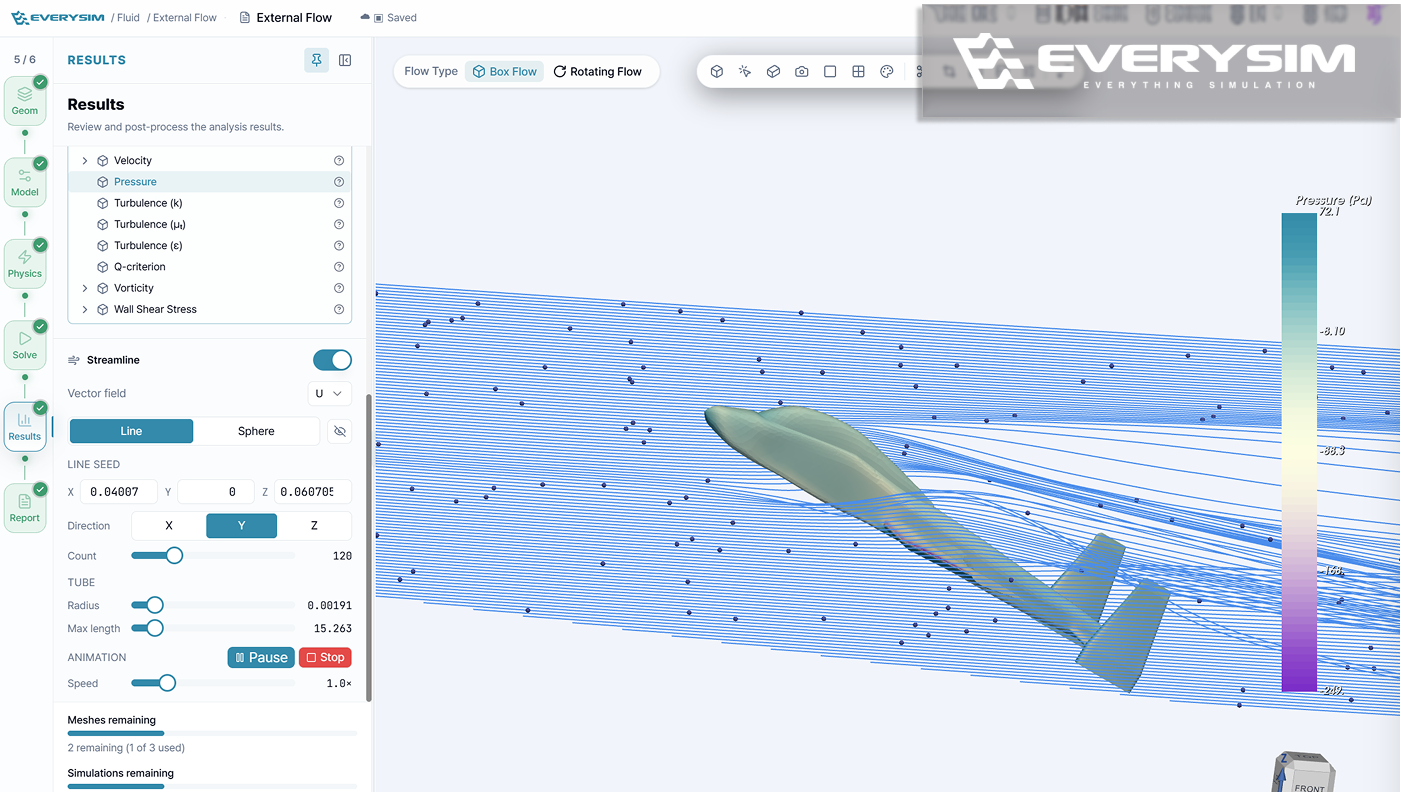
The first 1.0 beta rebuilds the Workbench around the simulation workflow, lets a single project hold many simulations, and adds split viewport comparison for results.
Added
- Multiple simulations in one project, so parameters and mesh conditions can be varied across cases without leaving the project.
- Transient Structural Analysis, expanding the available simulation workflows.
- Split Viewport, for comparing two results side by side.
- Streamline animation and richer CFD result fields, for a more intuitive read of the flow.
- View capture, so the simulation view can be saved directly as an image.
Improved
- A completely redesigned Workbench, built around the simulation workflow with clearer setup steps, real-time status guidance, and faster access to the tools and information needed during setup and review.
- Simulation setup in 3D — fluid analysis conditions preview directly in the 3D view, propeller and wing geometry update in real time while being configured, and fluid domains and angle of attack can be inspected and adjusted there.
- Mesh reuse, so an existing mesh can be reused to cut repeated work and rerun a simulation sooner.
- Post-processing tools, including Color Map, Threshold, Warp, Cut, and Clip.
- Selection, material, boundary condition setup, and validation flows.
Performance
- Faster Workbench and project loading.
- Smoother navigation for complex 3D models and large result datasets.
- Shorter iteration time, through optimized result-data handling and mesh reuse.